Batch Watermarking.
Effortless.
WaterMarkr takes entire folders and protects your images with beautiful, custom watermarks—in seconds.
Powerful Features. Zero Complexity.
Folder-Level Batching
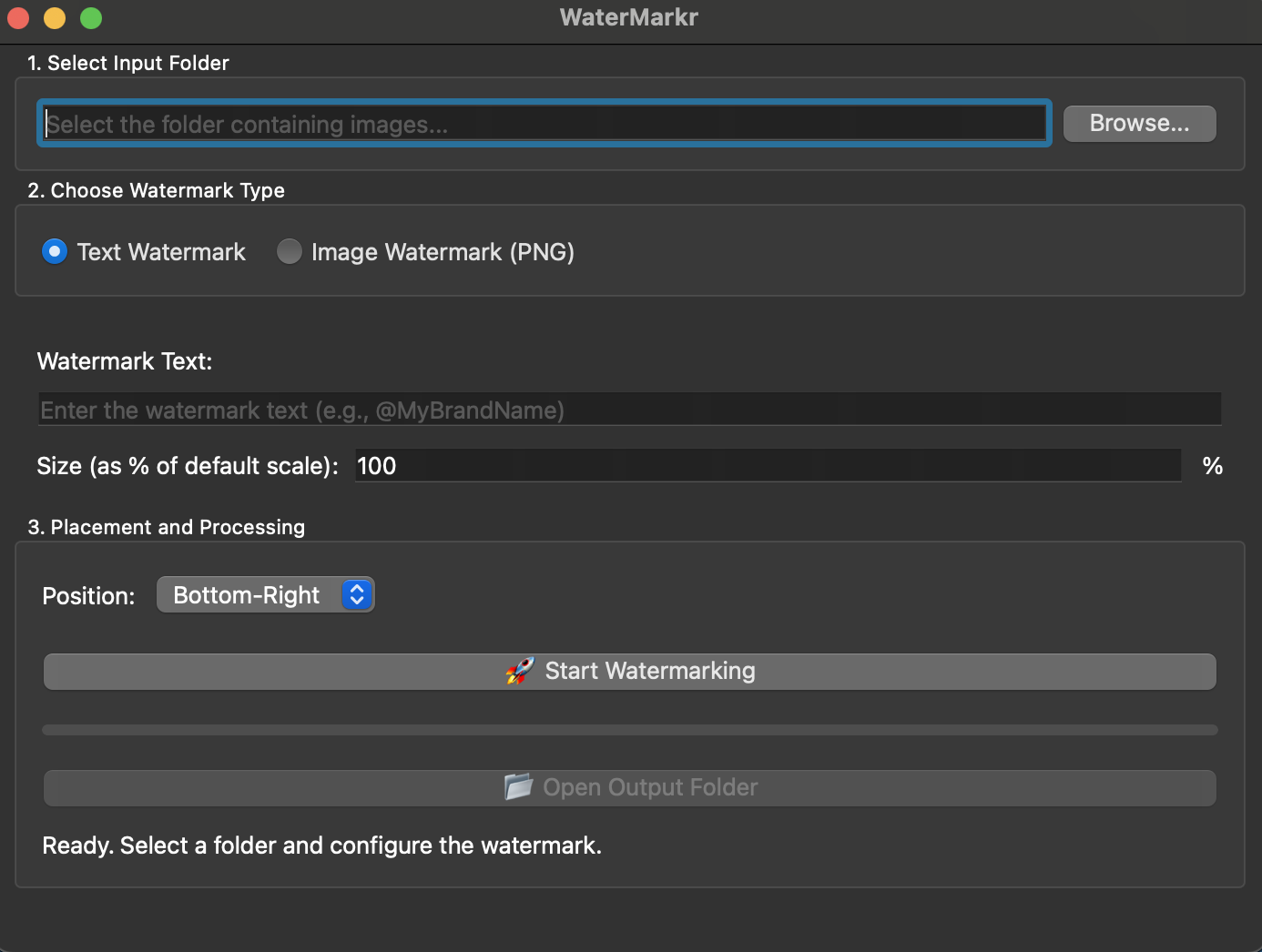
Stop processing images one by one. Select a source folder and WaterMarkr handles hundreds of images instantly, delivering the watermarked copies to a new subfolder.
Text & Logo Watermarks
Choose your style: use a simple copyright text overlay with customizable font, or upload your own logo for professional branding.
Free for Windows & Mac
Download and run WaterMarkr natively on your preferred operating system. It's completely free to use and designed to be lightweight, fast, and secure on both platforms.
Protect Your Work in 3 Simple Steps
Select Your Folder
Choose the folder containing all the images you need to watermark.
Configure Watermark
Input your text (e.g., '@yourbrand') or upload your logo. Adjust position and opacity settings.
Run & Retrieve
Click 'Start'. The app processes the images and saves the protected files in a new subfolder.
Ready to Protect Your Content?
WaterMarkr is 100% free and available now on Windows and macOS.